Camera System Health Checks: Coverage, Uptime, and Storage
Your camera system only works if it is actually working. Here's what a professional health check covers and why most systems have silent failures.
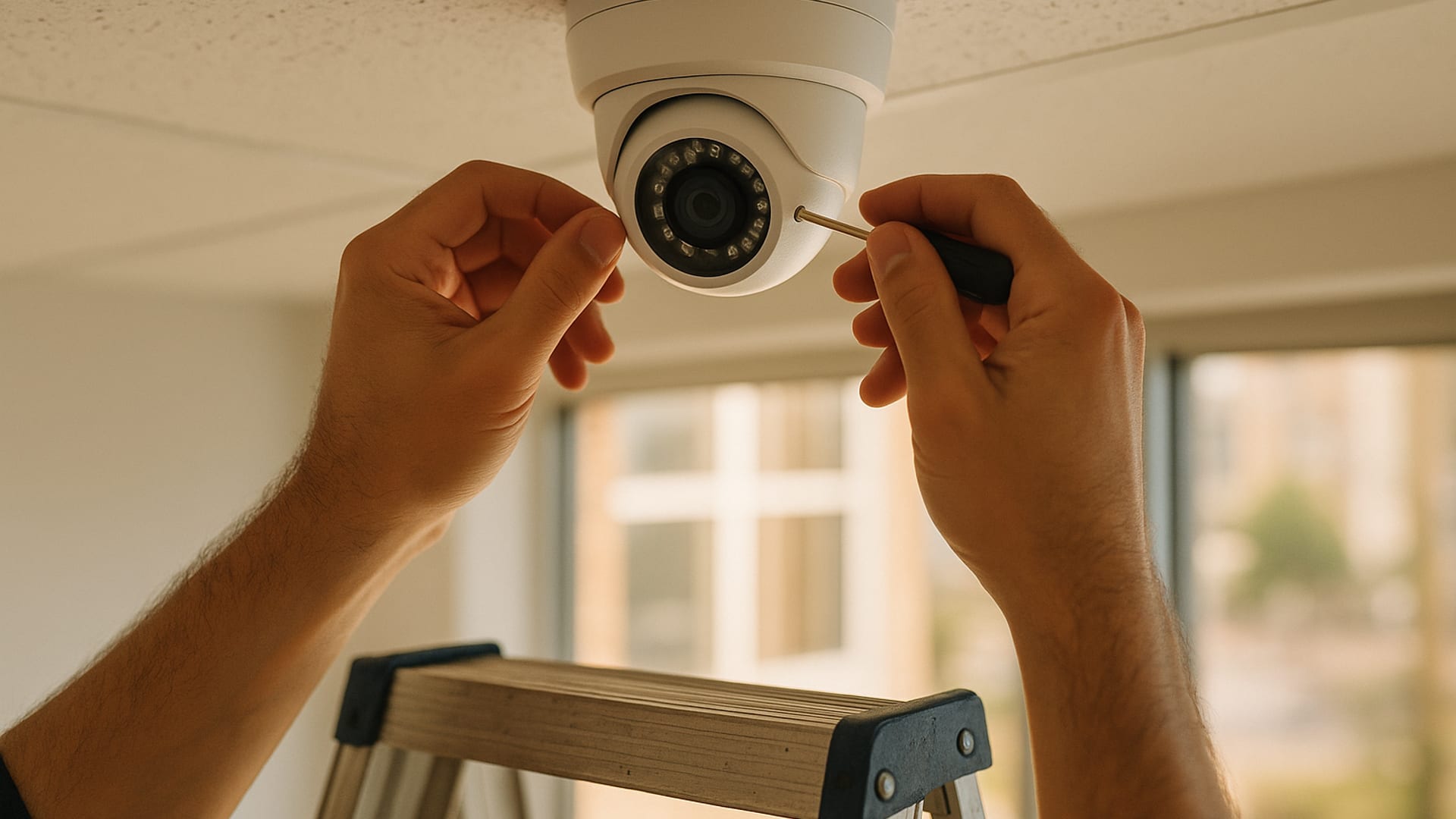
The camera that was not actually recording.
A nonprofit in Port Charlotte discovered during incident review that the camera covering their back entrance had stopped recording 18 months earlier. The camera was still there, still powered, still showing a live image on the console. But the recording had silently stopped due to a configuration drift following a firmware update. Every log confirmed the camera was “online.” No log captured that recording had stopped.
This is the category of failure that camera system health checks exist to catch. Silent failures where the technology appears to be doing its job while actually not. Regular health checks are the discipline of verifying that the appearance matches the reality.
What a health check covers.
A professional camera system health check typically includes several specific verification activities.
Visual inspection
Physical inspection of each camera. Is it mounted securely? Is it aimed where it was installed? Is the lens clean? Is the housing intact? Is there visible damage from weather, impact, or wildlife?
For outdoor cameras in Southwest Florida, physical inspection matters particularly. Salt air, humidity, and seasonal wildlife (wasps, spiders building webs across lenses, lizards nesting in housings) all affect performance.
Live view verification
From the monitoring system, confirm the live view from each camera. Is the image clear? Is the color correct? Is the frame rate smooth? Is there noise or artifact that suggests signal degradation?
Recording verification
Pull yesterday’s footage from each camera. Can you? How long does it take? Is the footage quality consistent with the live view? If footage is missing or of poor quality, something is wrong.
Storage analysis
How much storage is being used? How much is free? At current recording rates, how many more days of footage can the system hold before it starts overwriting older content? Has the retention window drifted from the configured value?
Retention testing
Pull footage from 30 days ago, 60 days ago, 90 days ago (up to the configured retention window). Can you? Is the quality the same as recent footage? If retention is configured for 60 days but footage from 45 days ago is missing, retention is failing.
Performance testing
For systems with analytics features (motion detection, object recognition, facial identification), verify that the analytics are operating correctly. Test known triggers. Confirm alerts are being generated appropriately.
Access control
Who has login credentials to the camera system? When did they last access it? Are any credentials outdated (belonging to former staff or vendors)? Is the access appropriate to current needs?
The Southwest Florida climate factor.
Our region’s environment is particularly hard on camera systems.
Humidity
Persistent high humidity accelerates corrosion on connections, circuit boards, and lens coatings. Cameras that would last 8 years in drier climates may last 3 to 5 in Southwest Florida. Housings that are not adequately sealed allow moisture intrusion that can damage electronics quietly.
Salt air
For coastal facilities, salt air is the single most damaging environmental factor. Metal components corrode faster. Seals degrade faster. Electronics fail faster. Stainless steel or marine-grade housings are worth the premium for any facility near the coast.
Lightning
Florida leads the nation in lightning strikes. Unprotected cameras and DVRs are one of the most common lightning-related equipment losses. Surge protection at both the power input and the network input of every outdoor camera is not optional. Replacing a lightning-damaged camera system can cost many multiples of what whole-system surge protection would have cost.
Heat
Outdoor camera electronics fail faster in persistent high temperatures. Thermal management in installation (shaded mounting, heat-dissipating housings) extends operating life.
Wildlife
Southwest Florida’s climate supports significant wildlife. Wasps build nests in camera housings. Spiders web lenses regularly. Geckos and lizards explore anywhere warm. Periodic physical cleaning is operationally necessary.
The storage question.
Storage is the most misunderstood element of most camera systems.
The storage math
A camera recording continuously at 1080p with H.264 compression generates approximately 10 to 20 GB per day, depending on motion levels and encoding settings. A 16-camera system recording continuously generates 160 to 320 GB per day. For 30 days of retention, the system needs 4.8 to 9.6 TB of usable storage.
Many systems we audit have less storage than their configured retention requires. The system compensates by overwriting older footage earlier than configured. The retention window drifts silently from 30 days to 20, to 15, to less. When footage from 25 days ago is needed, it is not there.
Storage health
Storage drives fail. Florida’s humidity accelerates failure. A drive that shows no errors today may be in early-stage failure. Health checks should verify drive status (S.M.A.R.T. data) periodically.
Backup and offsite
For critical recordings, consider backup to offsite storage (cloud or separate physical location). Loss of a primary DVR (fire, theft, physical damage) should not result in loss of all footage.
The uptime reality.
Camera systems should operate continuously. In practice, they do not.
Common uptime issues:
- Power failures that exceed battery backup capability
- Network issues that disconnect cameras from the recording system
- Firmware updates that fail or produce unexpected behavior
- Configuration drift after component replacement or network changes
- Storage failures that pause recording across multiple cameras
- Physical damage (impact, lightning, weather)
A serious health check includes uptime verification. How often did the system go offline in the last quarter? For how long? Was it noticed? Was it addressed?
The verse is about spiritual watchfulness. The operational parallel is direct. Camera systems are watchfulness automated. The discipline of health checks ensures that the watchfulness is actually happening, not just appearing to happen.
The health check schedule.
For most small and mid-size organizations in Southwest Florida:
- Weekly: automated status check via system dashboard (by a designated staff member)
- Monthly: visual inspection of accessible cameras, cleaning, alignment check
- Quarterly: full health check including recording verification and storage analysis
- Annually: comprehensive audit including retention testing, access review, and environmental assessment
- Every 3-5 years: equipment replacement evaluation for outdoor cameras
The fDoS role in camera health.
For clients on fDoS engagements, camera health checks are built into the monthly walkthrough rhythm. The advisor verifies camera status during every visit. Quarterly checks include the deeper storage and retention verification. Annual audits include comprehensive equipment evaluation.
For organizations without fDoS, establishing an internal health check schedule with a named owner is essential. The schedule can be supplemented with periodic external audit for the deeper verification.
The cost of doing nothing.
The organizations that experience camera system failures during incidents are almost always organizations without health check discipline. The specific failure modes we have seen:
- Camera recording configuration changed during firmware update; unnoticed for months
- Storage drive failure; recording silently stopped weeks before discovery
- Camera mount loosened by weather; angle shifted significantly from installation
- Lightning damage; intermittent failures not diagnosed until incident required clean footage
- Former IT vendor retained admin credentials; footage quality degraded after configuration changes they made
- Retention silently dropped from 30 days to 12 due to increased motion activity
Each of these is avoidable. Regular health checks catch these issues while they are small problems, not during the incidents when footage matters most.
Starting a program.
For organizations without any current camera health check discipline, a simple starting path:
- This week: identify everyone with login credentials to your camera system. Remove anyone who should not have access.
- This week: pull yesterday's footage from every camera. Confirm it exists and is usable.
- This month: schedule a visual inspection of every camera with physical inspection of mounts, lenses, and housings
- This quarter: assess your storage: how much is used, how much is free, what your actual retention window is
- This year: engage a qualified security advisor for a full system audit if you have not had one recently
If your organization in Fort Myers, Cape Coral, Naples, or Port Charlotte wants help establishing camera health check discipline or conducting a formal system audit, we would be glad to have the conversation.
Ready when you are
See clearly. Act proportionately.
Ongoing advisory or a one-time review. We help you read your own situation with fresh eyes.
Request an advisory callRelated Insights
Keep reading.

Access Control Audits: Who Has a Key, When They Last Used It
Access control audits are the cheapest security improvement most organizations can make. Here's how to run one and what you'll find.
Alarm System Testing: The 90-Day Rhythm
Alarm systems only work if tested. The 90-day testing rhythm catches the silent failures before they matter. Here's how to run it.

Background Check Programs for Staff and Volunteers
A serious background check program goes beyond a single pre-hire screening. Here's what a mature program looks like and how to build one.